3D Print a Person From a Photo
Upload one front-facing portrait, turn it into a 3D mesh with AI, and export print-ready STL or OBJ — then slice and print a figurine in minutes. No scan rig, no manual modeling.
- Single photo is enough
- Exports print-ready STL & OBJ
- Free tier, no card required

From one photo to a printed person
The whole pipeline is three steps. The biggest factor in how good your figurine looks is the input photo — the AI and the printer do the rest.
- 1
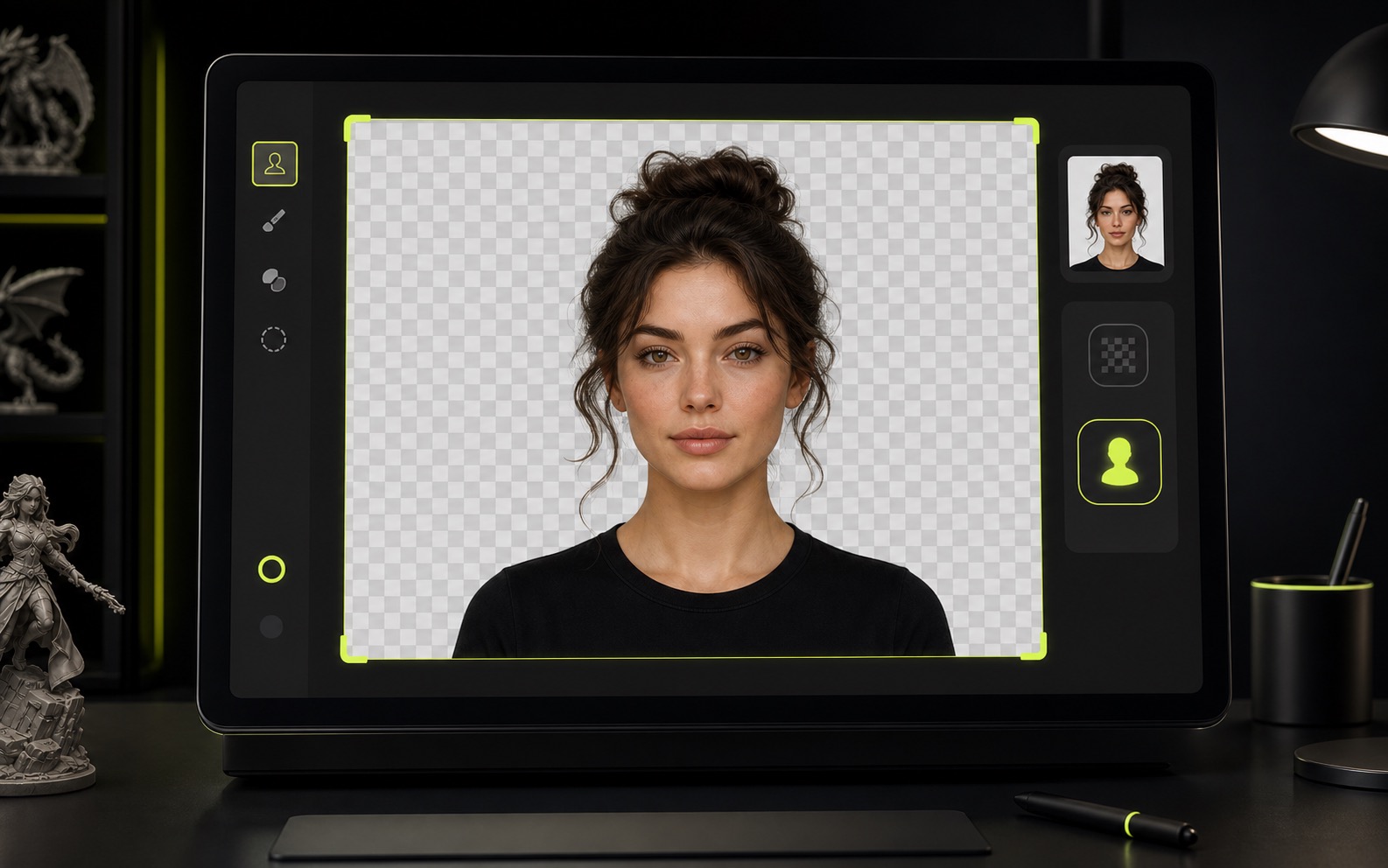
Prepare your photo
Use a high-resolution, front-facing portrait with soft, even lighting. Remove the background so the AI focuses only on the person, not the scene behind them.
- 2
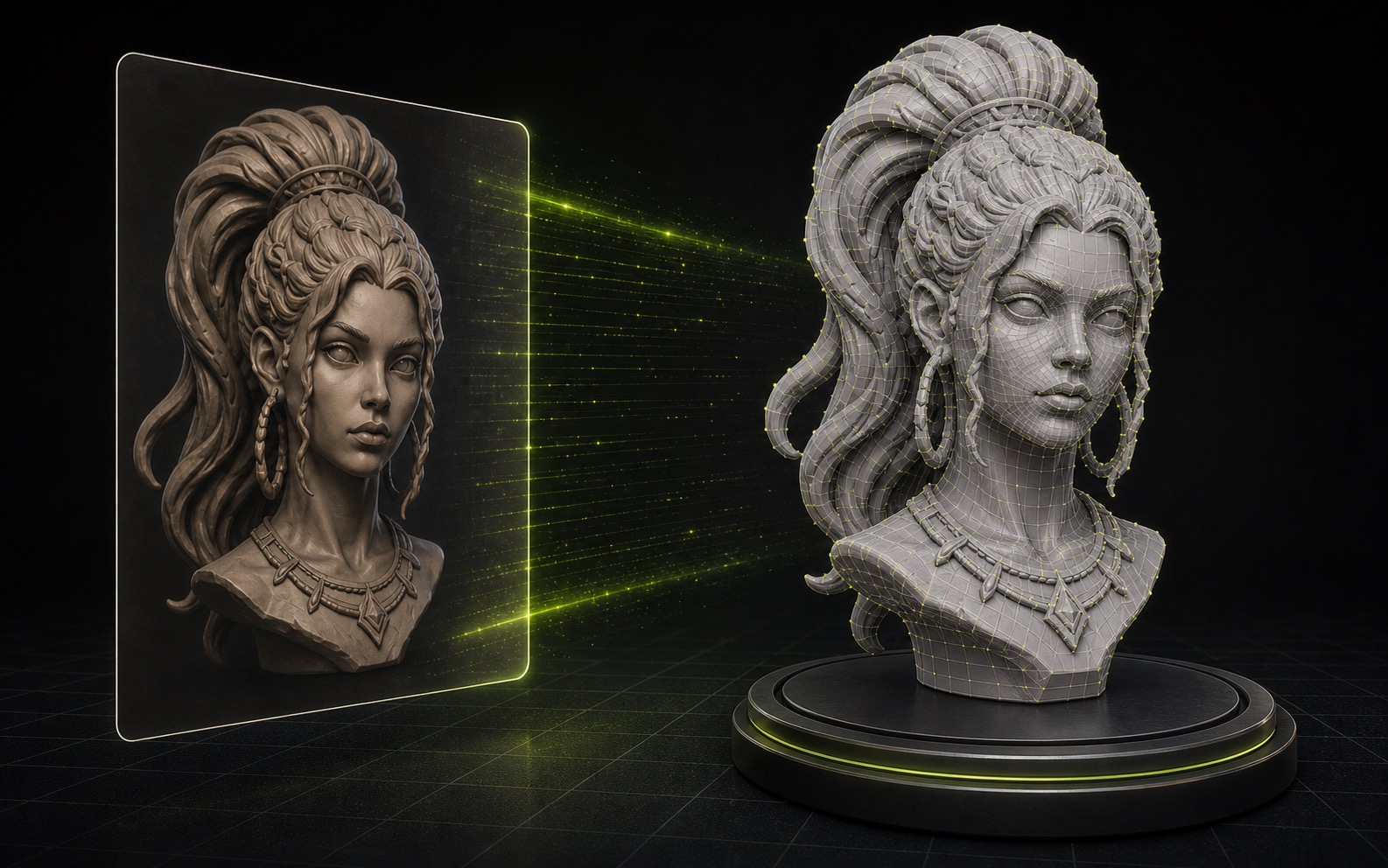
Convert to a 3D mesh
Upload the portrait to an AI image-to-3D generator like Trify3D. It builds a textured 3D mesh in about a minute, then you export a print-ready STL or OBJ file.
- 3
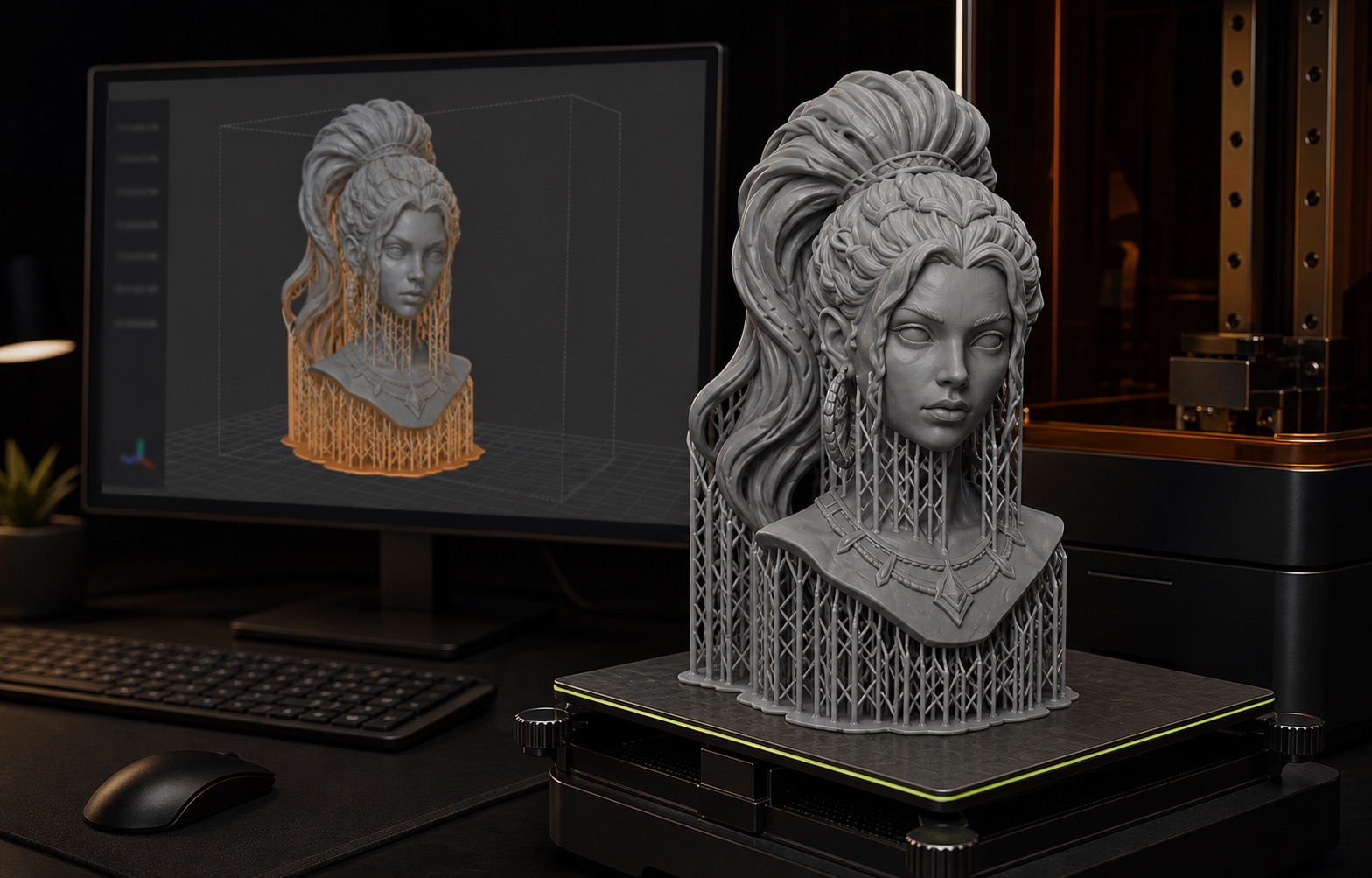
Slice and print
Open the STL or OBJ in Bambu Studio, PrusaSlicer, or Cura. Orient the model, add tree supports, choose a fine layer height for the face, then slice to G-code and print.


New to image-to-3D? Read our full image to 3D model guide.
Best tools to turn a photo into a 3D printable person
A few real options exist, and they are not all the same. Here is how the main ones compare for the specific job of printing a person.
| Tool | Export formats | Free tier | Styles | Print-ready? |
|---|---|---|---|---|
| Trify3D | GLB, glTF, OBJ, STL | Yes | Realistic | Direct STL/OBJ export |
| Meshy AI | GLB, glTF, OBJ, STL | Yes | Realistic, Stylized | Yes |
| Bambu Make My Statue | STL | Yes (Bambu) | Bust, Statue | Slicer-ready |
| PrintPal Face to 3D | STL | Credits | Realistic, Cartoon, Tabletop | Yes |
Generate the mesh with whichever tool fits your setup, then export STL or OBJ and slice it. Trify3D exports print-ready STL and OBJ straight from the browser.
Get the best printed person
These details separate a recognizable figurine from a melted blob. The input photo matters more than which printer you own.
Shoot front-facing
The person looks straight at the camera at eye level. Profile and extreme angles confuse the depth estimator and warp the face.
Use soft, even light
Avoid harsh sunlight — it throws shadows the AI reads as features. Overcast or soft indoor light gives the cleanest depth map.
Remove the background
Isolate the subject on a plain background. Busy scenes bleed into the mesh and waste geometry on the wrong things.
Crop to the subject
For a bust, fill the frame with head and shoulders. For a full-body figurine, keep the whole body visible. Cropped limbs print as flat cuts.
Three projects from the same pipeline
One photo-to-3D-to-print workflow produces a range of outputs. Pick the scale that matches what you actually want.

Desk bust or head
The most popular project. A single front-facing portrait becomes a 6–10 cm head on a small base. Great for gifts, desk toys, and cake toppers.

Full-body figurine
Needs a full-body standing photo. Scales to 10–16 cm. Expect more cleanup on the back and limbs, since the AI infers unseen areas.

Tabletop miniature
A stylized, lower-detail version for board games or D&D. Best with a cartoon or tabletop style so the model reads well at 28–32 mm scale.
Pick the right printer for a person
Resin wins on faces and hair. FDM wins on cost and simplicity. Match the printer to the detail level you actually need.
Resin (SLA / MSLA)

Best for: Faces, hair, eyes, fine detail
Dramatically better for recognizable people. Use this if realism on the face matters. Higher cost and mess, requires post-curing.
- Museum-grade facial detail
- Smooth surfaces
- Captures hair
FDM

Best for: Larger figurines, durable prints
Cheaper, easier, more forgiving. Fine for bigger or less detailed figures where strength beats detail.
- Low cost
- Clean and safe
- Strong parts
Frequently asked questions
Short answers for printing a person from a photo — formats, printers, accuracy, and cost.
Can you 3D print a person from a single photo?
Yes. AI image-to-3D tools estimate depth from one front-facing photo, infer the unseen sides, and export a printable mesh. One good portrait is enough for a bust or figurine; you do not need a 3D scan or dozens of photos.
What file format do I need to 3D print a person?
STL is the universal format for 3D printing and works in every slicer. OBJ adds color and texture. Export either from your image-to-3D tool — Trify3D exports both STL and OBJ directly from the studio.
Is FDM or resin better for printing a person?
Resin (SLA) is dramatically better for faces, hair, and fine detail. FDM is cheaper, easier, and fine for larger or less detailed figurines. If realism on the face matters, use resin.
How much does it cost to 3D print a person from a photo?
Doing it yourself is essentially free beyond filament or resin and the AI tool's generation cost. A printed bust uses a few cents to a couple of dollars of material. Paid figurine printing services charge roughly $30 to $100 or more depending on size and color.
Do I need to remove the background from the photo first?
Yes. A clean, isolated subject on a plain background produces a far cleaner mesh. Busy backgrounds bleed into the model and waste geometry on the wrong things.
How accurate is the back of a 3D printed person from one photo?
The front is usually accurate. The back and sides are inferred by the AI and are a plausible guess, not a true reconstruction. Orient your print so the less-accurate back faces away from view.
Can I print this in color?
Only if your printer supports color. Most resin and FDM printers are single-color. For color, export OBJ with textures. For single-color FDM, STL is enough and you can hand-paint the print afterward.
What size should I print a person figurine?
A desk bust is typically 6 to 10 cm tall. A full-body figurine scales to 10 to 16 cm. Tabletop miniatures use 28 to 32 mm scale. Set the target size in your slicer before adding supports.
How do I slice a 3D printed person for the best result?
Stand a bust upright and lay a full-body figurine on its back to minimize supports on the face. Use tree supports in PrusaSlicer or OrcaSlicer, and print the face at 0.08 to 0.12 mm layer height.
Which AI tool is best for turning a photo into a 3D printable person?
Trify3D, Meshy AI, Bambu MakerWorld Make My Statue, and PrintPal Face to 3D all work. Pick by export format and ecosystem: Trify3D exports print-ready STL and OBJ straight from the browser; Bambu Make My Statue is optimized for Bambu printers.
Want the full deep-dive? Read our complete guide to 3D printing a person from a photo.
Print your first person from a photo
Upload a portrait, generate a 3D mesh, and export print-ready STL or OBJ. No scan rig, no manual modeling, no design skills required.
Related Trify3D tools
One platform, every 3D workflow. Jump between tools without losing context.
AI 3D Generator
Generate production-ready 3D models from text or images across four AI engines. Compare meshes, keep the best, export GLB, OBJ, STL, FBX.
Try itHitem3D
Ultra-detailed print-ready 3D models with Hitem3D. 1536³ Pro resolution, watertight meshes, single-image input.
Try itTripo 3D
Generate detailed 3D models with Tripo 3D (HD Model V3.1): up to 500K polygons, PBR textures, quad remeshing, and multi-view input.
Try itImage to 3D
Upload any photo, sketch, or concept art and get a fully textured 3D model.
Try itText to 3D
Describe an object in text and generate a textured 3D model across multiple engines.
Try it3D Text
Type text and get a real 3D model — extruded fonts export GLB, STL, OBJ and transparent PNG, free in your browser.
Try itMulti-Model
Run one prompt or image through Tripo3D, Meshy, and Rodin side by side and keep the best mesh.
Try itAI Texturing
PBR textures (albedo, normal, roughness, metallic) generated with every 3D model.
Try itSTL Editor
Edit, repair, and convert STL files free in your browser, plus AI image-to-STL generation.
Try it2D to 3D
Turn flat 2D artwork and drawings into depth-aware 3D models instantly.
Try itLow Poly
Generate lightweight low poly assets for games, web 3D, and prototypes.
Try itRead the Blog
Tutorials, tool comparisons, and workflow guides for AI 3D generation.
Browse guides