Parametric Model Maker Alternatives: 8 Tools (2026)
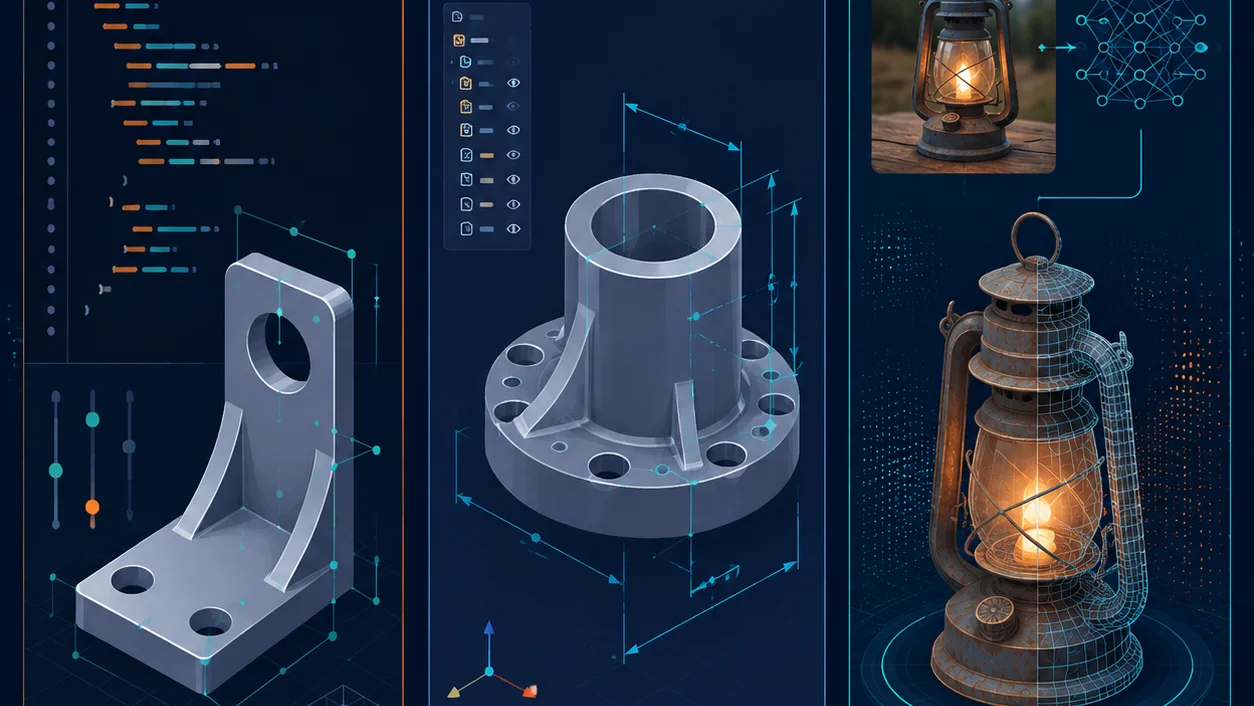
"Parametric model maker" now means two different things, and the Google results page mixes them badly. Half the results point at Bambu Lab's MakerWorld Parametric Model Maker, the OpenSCAD-based tool that lets you tweak a script and download a printable 3MF. The other half point at general parametric modeling concepts and CAD software like FreeCAD and Onshape. If you landed here, you probably want a tool that lets you make or customize a 3D model by changing parameters, and you want to know what else exists beyond MakerWorld.
This guide compares the realistic alternatives across the three things that actually decide which one fits you: what kind of model it makes, how much you have to learn, and whether it outputs something you can print or ship.
For AI image-to-3D specifically, see the how to make a 2D image 3D walkthrough.
TL;DR
| You want… | Pick |
|---|---|
| Tweak a script, print on a Bambu, stay in the ecosystem | MakerWorld Parametric Model Maker |
| Code-based parametric parts, fully free, no cloud | OpenSCAD |
| Real parametric CAD for engineering parts, free | FreeCAD |
| Cloud CAD with version history, designs can be public | Onshape Free |
| Drag-and-drop, never written code, simple prints | TinkerCAD |
| A 3D asset from a photo or prompt in seconds, no modeling | Trify3D (or any AI 3D generator) |
The honest split: parametric CAD tools (OpenSCAD, FreeCAD, Onshape) give you precise, editable geometry but demand you learn CAD or code. AI 3D generators give you a mesh fast but it is not parametric and not engineering-grade. Pick the side that matches what you actually need to print or ship.
What "Parametric Model Maker" Even Means
Before comparing, separate the two interpretations because they lead to different tools.
A parametric model is one driven by parameters (dimensions, counts, angles) rather than fixed geometry. Change a number, the model updates. This is why OpenSCAD scripts and FreeCAD sketches are parametric, while a downloaded STL is not.
The MakerWorld Parametric Model Maker is Bambu Lab's specific implementation: it runs your OpenSCAD code inside MakerWorld, exposes parameters as sliders to the end user, and exports a printable 3MF or STL. Reported in the Bambu Lab community forum: MakerWorld runs your OpenSCAD code and displays the result for the user to download. The tool is active (multi-color modeling in v0.9, multi-plate 3MF in v0.10) but, by the same community's repeated admission, under-documented and limited, it cannot read STL files and does not yet support include.
So "alternatives" falls into two buckets: other parametric tools (if you want the tweak-a-parameter workflow) and AI generators (if you want a model without learning CAD or code at all).
The Code-Based Parametric Tools
MakerWorld Parametric Model Maker
Type: Cloud-hosted OpenSCAD runner for Bambu printers.
The thing the original keyword usually refers to. You write OpenSCAD, MakerWorld renders it, end users adjust exposed parameters and download a print-ready file. Best when you already live in MakerWorld and want others to customize your design without installing anything.
Pros:
- Free, runs in a browser, zero install for end users
- Tight integration with Bambu printers and print profiles
- Active development (multi-color, multi-plate)
Cons:
- No real documentation, learning requires forum archaeology
- Cannot import STL, parametric aspects must be built from scratch
includenot supported, OpenSCAD version unclear- Locked to the MakerWorld ecosystem
OpenSCAD
Type: Free, open-source code-based 3D CAD (openscad.org).
The engine underneath MakerWorld's tool, available standalone. You describe geometry in a scripting language and it compiles to a mesh. For functional parts, threads, brackets, and anything that must fit a dimension exactly, it is hard to beat for the price (free).
Pros:
- Fully free and open-source
- Precise, reproducible, scriptable
- Huge library of community parametric designs
Cons:
- Scripting language has a real learning curve
- No interactive editing, you code, you render, you repeat
- Mesh-only output, not a feature-tree CAD model
JSCad
Type: Browser-based code modeling (JavaScript) (openjscad.xyz).
OpenSCAD's concept in JavaScript, runnable in the browser with no install. Useful if you already know JS and want parametric models you can version-control and host yourself.
Pros: No install, JS ecosystem, scriptable. Cons: Smaller community than OpenSCAD, same code-learning barrier.
The Parametric CAD Tools
These give you a real parametric feature tree (sketches, constraints, history), the kind of model an engineer edits by changing a dimension and watching everything update.
FreeCAD
Type: Free, open-source parametric 3D CAD modeler (freecad.org).
Its own tagline is "Your own 3D parametric modeler." Designed for real-world objects of any size, fully free. The realistic trade-off, echoed across forums: the workflow cannot be replicated by mesh tools like Blender, but FreeCAD itself is buggy, confusing, and sometimes limited until you learn it.
Pros:
- True parametric CAD, free and open-source
- Real feature history and constraints
- Strong for mechanical and engineering parts
Cons:
- Steep, unintuitive learning curve
- Stability and UX issues
- Slower than commercial CAD for complex assemblies
Onshape (Free Plan)
Type: Cloud-native CAD platform (onshape.com).
Full CAD in the browser, with version history and collaboration. Paid plans start at $1,500/user/year (Standard) up to $2,500/user/year (Professional) as of 2026. The catch on the free plan, confirmed across Onshape's own docs and user reports: designs are public, and private document creation/editing is removed from the free tier. Fine for learning and open projects, not for proprietary work.
Pros:
- Professional-grade CAD in the browser
- Version history, branching, collaboration
- No install, runs anywhere
Cons:
- Free plan forces designs public
- No private documents on free tier
- Cloud-only, nothing runs offline
The Beginner and Non-CAD Tools
TinkerCAD
Type: Free drag-and-drop web modeler, Autodesk (tinkercad.com).
The usual first stop for absolute beginners and classrooms. Autodesk reports 100 million users as of November 2025. Drop primitive shapes, combine and subtract, export STL. It is not parametric in any meaningful sense, you cannot drive it from dimensions the way FreeCAD does, but for simple custom prints (keychains, name plates, basic shapes) it is the lowest-friction option.
Pros: Free, browser-based, near-zero learning curve, iPad-friendly. Cons: 25 MB import limit, not parametric, outgrown quickly for anything precise.
Blender
Type: Free, open-source 3D suite (blender.org).
Included because it always shows up in "alternatives" lists. Blender is a mesh and sculpting tool, not a parametric CAD tool, and forum consensus is clear: it cannot replace a CAD program for functional parts. Great for organic shapes, sculpting, and rendering, wrong tool if "parametric" is what you actually need.
The AI 3D Generator Route (Mesh, Not Parametric)
This is the category most "alternatives" lists miss, and it is the one that matters if your real goal is "get a 3D model without learning OpenSCAD or CAD."
Tools like Trify3D, Meshy, and other AI 3D generators take a text prompt or an image and produce a textured mesh in seconds. They are not parametric. You cannot dial in "width = 40mm" the way you can in OpenSCAD. What you get is a generated mesh with AI-applied PBR textures, ready for games, rendering, concept work, or further cleanup.
Why this matters for the comparison: community discussion shows AI parametric CAD generation is currently weak. Users asking AI models to generate parametric CAD via Python report poor results. So if you came looking for "parametric model maker alternatives" because OpenSCAD is too hard, the AI route solves a slightly different problem, it gives you a model fast, but it is not the parametric, dimension-driven model you might have expected.
When AI generation is the right alternative:
- You want a prop, character, or asset, not an engineering part
- You have a reference image and want it turned into a model
- Speed matters more than dimensional precision
- You will texture it, not machine it
When it is the wrong alternative:
- You need exact dimensions for a functional part
- You need a feature tree you can edit later
- The part must fit another part precisely
Trify3D specifically offers text-to-3D, image-to-3D, and AI texturing (PBR maps) with paid plans. For the image-to-3D workflow end to end, see how to make a 2D image 3D. For texturing any mesh you already have, see how to make textures for 3D models.
Side-by-Side Comparison
| Tool | Parametric? | Code required? | Price | Best for |
|---|---|---|---|---|
| MakerWorld PMM | Yes (OpenSCAD) | Yes | Free | Bambu ecosystem printable customs |
| OpenSCAD | Yes | Yes | Free | Functional precision parts |
| JSCad | Yes | Yes (JS) | Free | JS devs, self-hosted |
| FreeCAD | Yes (feature tree) | No | Free | Engineering parametric CAD |
| Onshape Free | Yes (feature tree) | No | Free (public designs) | Cloud CAD learning/collab |
| TinkerCAD | No | No | Free | Absolute beginners |
| Blender | No (mesh) | No | Free | Organic shapes, rendering |
| Trify3D (AI) | No (generated mesh) | No | Paid (free trial) | Fast assets from image/prompt |
Which Alternative Should You Pick?
You print on a Bambu and want others to customize your design. Stay with MakerWorld Parametric Model Maker. The ecosystem integration is worth the documentation gaps.
You want precise, functional parts and don't mind learning. OpenSCAD (code) or FreeCAD (visual CAD). Pick by whether you prefer scripting or a GUI.
You want real CAD, in the browser, and public designs are fine. Onshape Free.
You have never done any 3D work and just want a simple print. TinkerCAD. Move up when you outgrow it.
You want a 3D model from a photo or idea, fast, and precision is not the point. An AI 3D generator like Trify3D. It will not give you a parametric model, but it will give you a textured mesh in seconds that CAD tools cannot match for speed.
Frequently Asked Questions
What is a parametric model maker?
A parametric model maker is any tool that builds 3D models from parameters (dimensions, counts) rather than fixed geometry, so changing a value updates the model. MakerWorld's "Parametric Model Maker" is one specific example built on OpenSCAD; FreeCAD and Onshape are general parametric CAD tools.
Is parametric model maker free?
MakerWorld's Parametric Model Maker is free. OpenSCAD, FreeCAD, TinkerCAD, Blender, and JSCad are also free. Onshape has a free tier but makes designs public. AI 3D generators like Trify3D are paid with trials.
What is the best free alternative to OpenSCAD?
For parametric CAD with a GUI, FreeCAD. For cloud CAD, Onshape Free (if public designs are acceptable). For code-based modeling in the browser, JSCad.
Can AI replace a parametric model maker?
Not for engineering-grade parametric parts. AI 3D generators produce meshes, not editable parametric geometry. They are a fast alternative when you want a model from an image or prompt and precision is not required.
Next Steps
- Decide by what you actually need to output using the table above.
- Want the AI image-to-3D route? Follow how to make a 2D image 3D.
- Need textures for a mesh you already have? See how to make textures for 3D models.
Last reviewed: June 2026. Tool features and pricing shift often, recheck the maker's site before committing.
Run it yourself in Trify3D
Keep reading from this topic
What Is MiniMax H3 Max? Fal's Faster H3 Explained
MiniMax H3 Max is fal's post-trained, speed-optimized version of MiniMax H3. Here is how it hits 35x throughput, what it costs, and when to use it over stock H3.
ReviewsHi3D Review 2026: Pricing, Specs, and Comparisons
Hi3D (Hitem3D) reviewed: 1536³ print-first generation, $19.90/mo list pricing, and a 31-review Trustpilot base. See where it beats Meshy and Tripo, and where it doesn't.
ReviewsBambu Studio vs OrcaSlicer vs Cura vs PrusaSlicer
Bambu Studio vs OrcaSlicer vs Cura vs PrusaSlicer (2026): slicing quality, printer support, multi-material, and calibration compared, plus a decision tree.