Trellis 2 for VFX: Honest Production Review
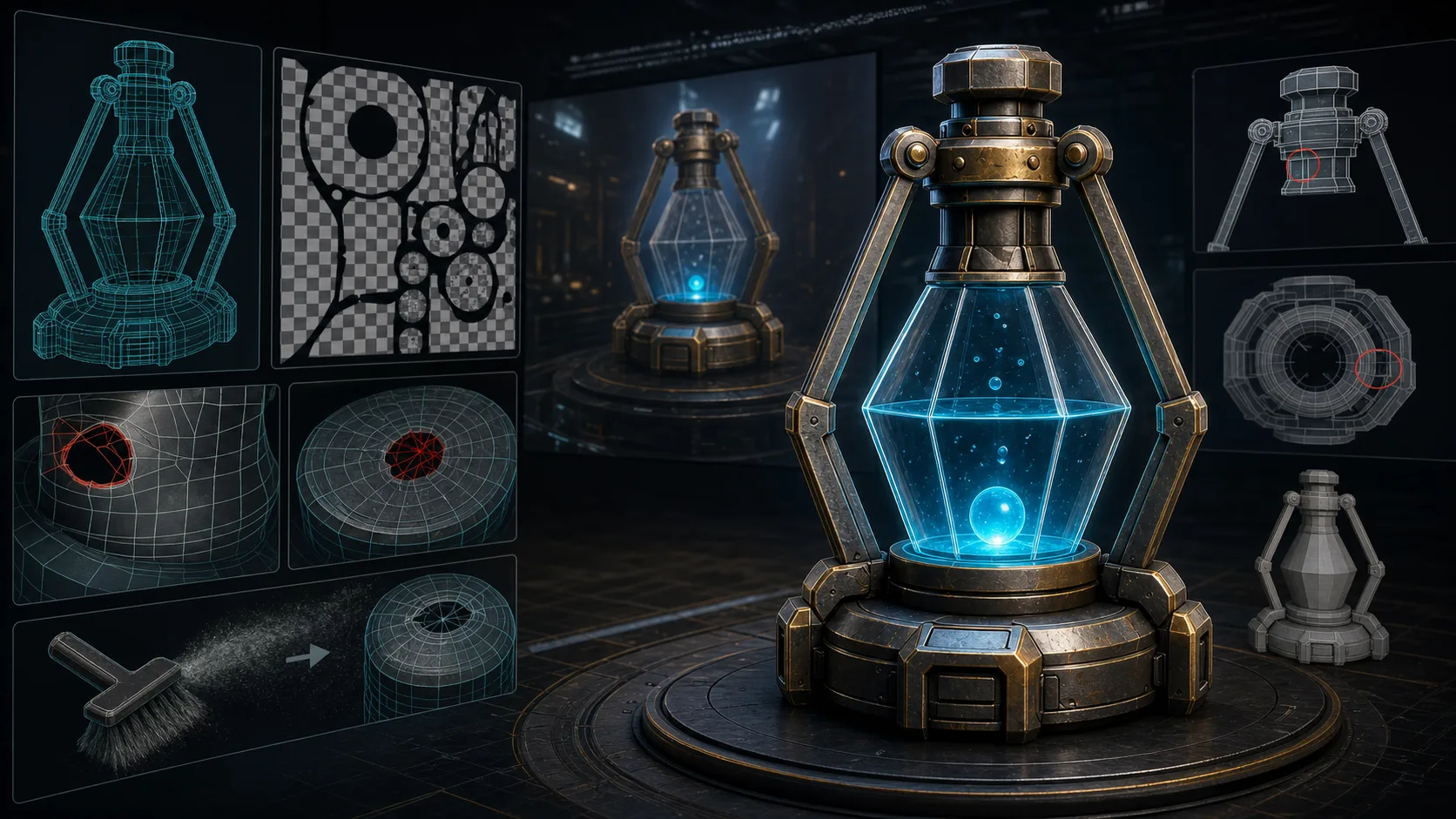
Most Trellis 2 coverage is enthusiast-grade: generate a mesh, post a render, declare it amazing. That tells you nothing about whether Trellis 2 holds up in actual VFX or game production, where topology, UVs, rigging-readiness, and cleanup cost are what decide whether an asset is usable or garbage.
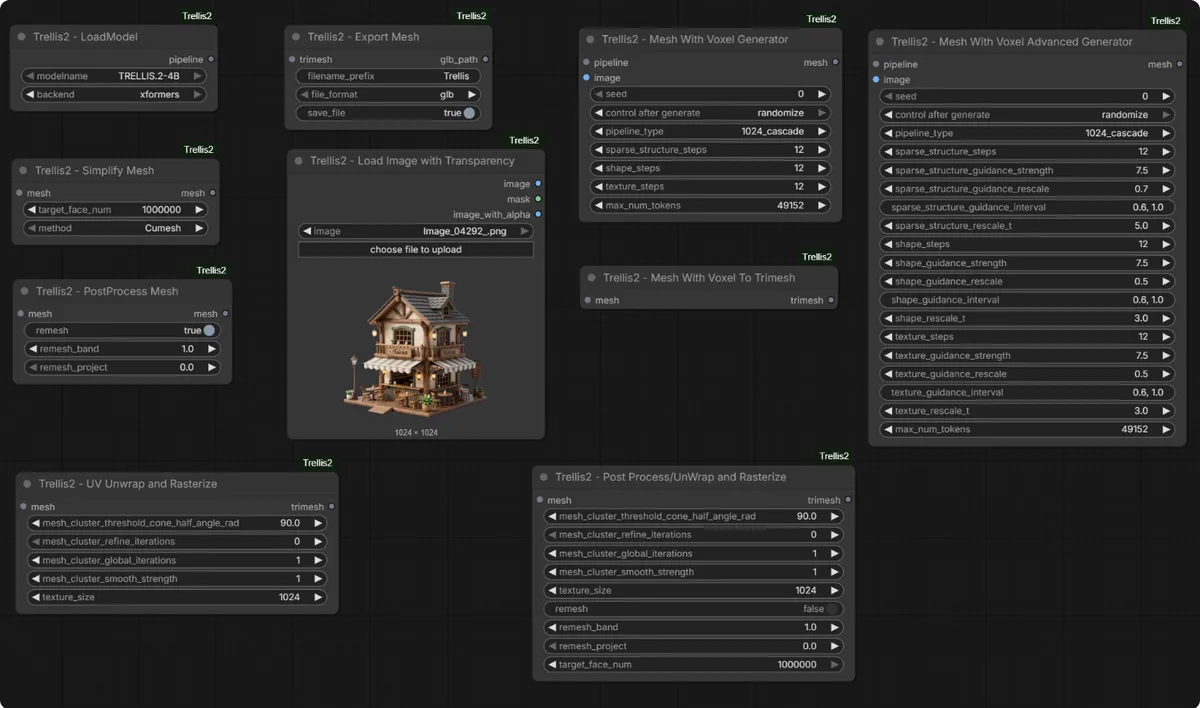
This is the production review. Based on real attempts to take Trellis 2 output (the microsoft/TRELLIS.2-4B model, run via the visualbruno ComfyUI wrapper) through a VFX/game pipeline, what works, what needs manual cleanup, and where Trellis 2 earns its place versus where you still need a human modeler.
For setup, see the Trellis 2 ComfyUI complete guide.
The Honest TL;DR
Trellis 2 is not a one-click production asset generator. It is a strong first-draft generator that gets you 60-80% of the way to a usable asset, fast. The last 20-40%, retopology, UV cleanup, rigging prep, is still manual. For VFX and game work, that makes it a prototyping and iteration accelerator, not a replacement for a 3D artist.
This aligns with the r/comfyui "I tested Microsoft Trellis 2 for real VFX work" thread, where a 15-year veteran gave honest thoughts on where it helps and where it falls short.
Where Trellis 2 Shines in Production
Concepting and Iteration
Need 20 variations of a prop before art direction picks one? Trellis 2 generates them in minutes. The cost of exploring directions drops to near zero. This alone justifies the setup pain.
Background and Set Dressing
For assets that sit in the background of a shot, set dressing, filler props, environment clutter, Trellis 2 output at 1024 with a refiner is often good enough without heavy cleanup. Nobody scrutinizes the back of a barrel in a wide shot.
PBR Texture Drafts
Trellis 2's PBR output (Base Color, Roughness, Metallic) is genuinely good as a starting point. Even if you redo geometry, the texture maps can carry through as a base for hand-painting.
Speed to First Mesh
Minutes to a mesh means you can block out a scene and test compositions before committing modeling time. This changes pre-production workflows.
Where Trellis 2 Falls Short
Topology
Output topology is dense and irregular, not quad-based, not animation-friendly. For anything that needs to deform (characters) or be optimized (real-time), you will retopologize. This is the biggest gap between Trellis 2 output and production-ready.
UVs and Unwrapping
UVs exist but are not clean. Production assets need controlled unwrapping for texturing and lightmaps. Expect to re-unwrap.
Rigging Readiness
No T-pose/A-pose enforcement, no joint-friendly topology. Characters generated by Trellis 2 are not rig-ready. You will rebuild topology for rigging.
Back-of-Object Geometry
Even with multiview, complex occluded regions can have artifacts or holes. The mesh refiner (FaithC) helps but does not fully solve it. See Trellis 2 Multiview Workflow.
Consistency
Two generations from the same input are not identical. For work needing reproducibility (matching a hero asset across shots), this matters. Seed control helps but does not guarantee pixel-identical output.
The Cleanup Cost (the real metric)
This is what determines whether Trellis 2 is worth it for a given asset:
| Asset role | Cleanup needed | Trellis 2 worth it? |
|---|---|---|
| Background prop / set dressing | Minimal | Yes: big time save |
| Mid-ground prop | Moderate retopo | Usually yes |
| Hero prop (close-up) | Heavy retopo + UV + texture polish | Maybe, depends on deadline |
| Animated character | Full retopo for rigging + UV + weights | No: rebuild from scratch |
| Real-time / game-ready | Heavy optimization, LODs | Maybe, as a base only |
The pattern: the closer an asset is to camera and the more it deforms, the less Trellis 2 saves you. The further it sits and the more static it is, the more it helps.
Recommended Production Pipeline
For assets where Trellis 2 fits (background/mid-ground props):
- Generate at 1024 with multiview for cleaner base geometry
- Refine with a mesh refiner (FaithC) to reduce holes
- Retopologize for target polycount (Blender, Quad Remesher)
- Re-unwrap UVs
- Polish PBR: Trellis 2 textures as base, hand-paint where needed
- Export GLB/FBX for engine
Steps 1-2 are where Trellis 2 saves you hours. Steps 3-6 are still manual artist work.
Comparison: Trellis 2 vs Commercial VFX Tools
| Dimension | Trellis 2 (local, free) | Commercial tools (Rodin, etc.) |
|---|---|---|
| Cost | Free (GPU + electricity) | Subscription / per-asset |
| Topology | Dense, needs retopo | Often cleaner quad topology |
| UVs | Needs re-unwrap | Often cleaner |
| Fidelity | High | High (comparable) |
| Control | Less | More (pose, style enforcement) |
| Best for | Iteration, background assets | Hero assets, production-ready |
Trellis 2 wins on cost and iteration speed for non-hero work. Commercial tools win on topology control for hero assets. See Trellis 2 vs Hunyuan 3D vs TripoSR for the open-source comparison.
Asset-Type Test Results
Different asset types stress Trellis 2 differently. Here is how it performs across the categories a production pipeline actually encounters, based on pushing generated meshes through to engine-ready state.
Hard-surface props (crates, weapons, tools): Strong. Clean silhouettes, recognizable forms, PBR textures that hold up at mid-distance. Cleanup is mostly retopology for target polycount. This is where Trellis 2 saves the most time.
Organic props (plants, food, natural objects): Good with caveats. Forms read well but fine surface detail (bark texture, leaf veins) is approximated, not accurate. Expect texture touch-up for hero shots.
Characters and creatures: Weak for direct use. No rig-friendly topology, no pose control, geometry under arms and between legs needs rebuilding. Usable as a concepting base or for distant background characters, not for hero animated characters.
Vehicles: Mixed. Bodywork reads well; mechanical detail (engine parts, panel gaps) is smoothed over. Acceptable for background vehicles or previz; needs modeling work for hero close-ups.
Architecture and environments: Strong for set dressing and background structures. Hero architecture needs manual work for clean edges and readable materials. Good for blocking and atmosphere.
Foliage and organic environments: Serviceable. Trellis 2 generates plausible shapes; art direction and hand-placement do the rest. Not for hero plants in focus.
The takeaway: Trellis 2's value scales with how forgiving the asset's final use is. Background and mid-ground, almost always worth it. Hero and animated, rebuild faster than clean up.
Cost and Time Quantified
Vague "it saves time" claims do not help a producer plan. Here is a more concrete framing of the economics, using typical 2026 figures.
Without Trellis 2 (traditional modeling): A mid-detail background prop takes a 3D artist roughly 4 to 8 hours start to engine-ready. At typical freelance rates, that is a real cost per prop.
With Trellis 2 for the same prop: Generation is minutes. Retopology, UV rework, and texture polish add roughly 1 to 3 hours of artist time. Net saving: 3 to 5 hours per qualifying prop.
Where the saving disappears: Hero assets. A Trellis 2 character mesh needs so much topology and rigging rebuild that the generation saves little, and debugging the generated mesh can take longer than modeling clean from scratch. The crossover point is roughly "anything that deforms on camera or renders within a few meters."
The real production win: Not on individual hero assets. It is on volume. A scene needing 40 background props at 4 hours each is 160 hours of modeling. Trellis 2 plus cleanup at 2 hours each is 80 hours. That halving, across a full environment, is where the tool earns its place.
Frequently Asked Questions
Is Trellis 2 good enough for real VFX work?
For background and mid-ground props, yes, it saves significant time. For hero assets and animated characters, no, the topology and UV work needed makes rebuilding faster than cleaning Trellis 2 output. It is a first-draft accelerator, not a final-asset generator.
Does Trellis 2 output need retopology?
Almost always, for production. Output topology is dense and irregular. Plan to retopologize for any asset that deforms, renders close to camera, or runs in real-time.
Can Trellis 2 generate rig-ready characters?
No. No T/A-pose enforcement and no joint-friendly topology. Characters need full retopology before rigging.
Is Trellis 2 worth the setup pain for VFX?
For studios doing heavy concept iteration and set dressing, yes, the time saved across many assets pays off the install cost. For one-off hero assets, commercial tools with better topology may be more cost-effective.
Next Steps
- Get Trellis 2 running, complete guide.
- Test on a background prop first (lowest cleanup risk).
- Use multiview + a refiner for cleaner base geometry.
Last reviewed: June 2026. Trellis 2 output quality improves with each node package update, retest fidelity periodically.
Run it yourself in Trify3D
Keep reading from this topic
What Is MiniMax H3 Max? Fal's Faster H3 Explained
MiniMax H3 Max is fal's post-trained, speed-optimized version of MiniMax H3. Here is how it hits 35x throughput, what it costs, and when to use it over stock H3.
ReviewsHi3D Review 2026: Pricing, Specs, and Comparisons
Hi3D (Hitem3D) reviewed: 1536³ print-first generation, $19.90/mo list pricing, and a 31-review Trustpilot base. See where it beats Meshy and Tripo, and where it doesn't.
ReviewsBambu Studio vs OrcaSlicer vs Cura vs PrusaSlicer
Bambu Studio vs OrcaSlicer vs Cura vs PrusaSlicer (2026): slicing quality, printer support, multi-material, and calibration compared, plus a decision tree.