Trellis 2 Multiview Workflow in ComfyUI (2026)
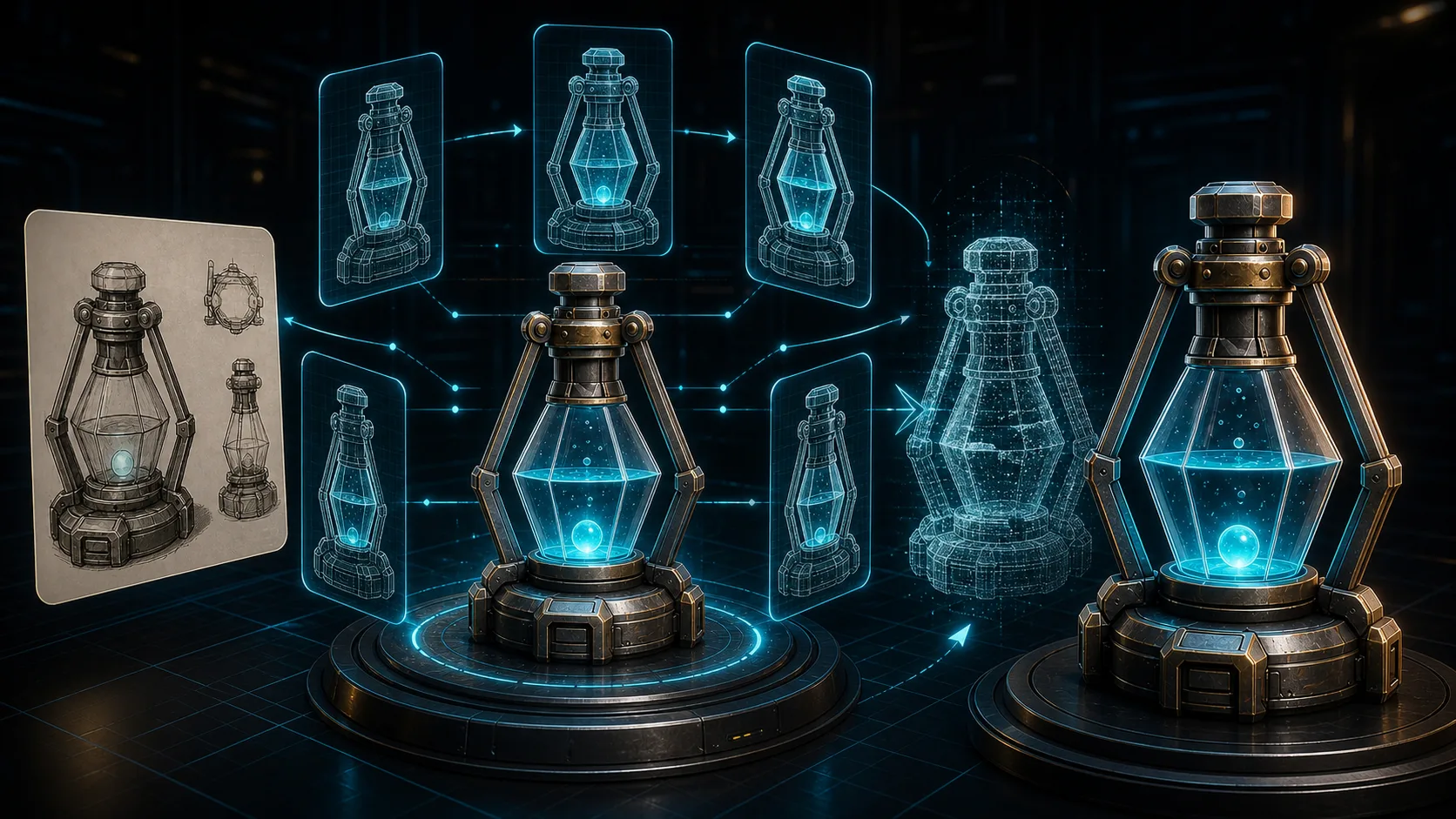
In February 2026, multiview support landed in Trellis 2 (see the visualbruno changelog and the r/comfyui multiview discussion), and it is the single biggest quality jump since the model launched. Instead of reconstructing a full 3D mesh from one image (which leaves the back of objects as guesswork), the multiview workflow synthesizes 4-6 camera angles first, then reconstructs from all of them. The result: cleaner topology, fewer holes, dramatically better geometry on complex subjects.
This tutorial covers how the Trellis 2 multiview workflow works, how to set it up in ComfyUI, and when it is worth the extra compute over single-view.
For the base Trellis 2 setup, see the Trellis 2 ComfyUI complete guide.
What Multiview Actually Does
Single-image-to-3D has a fundamental problem: the model only sees the front. The back, sides, and top are hallucinated. For a simple prop (a crate, a mug) this is fine. For a character or vehicle, it produces:
- Holes in occluded regions
- Smooth blobs where detail should be
- Inconsistent geometry when you orbit the model
Multiview solves this by generating multiple synthesized views of the subject, front, sides, back, from the single input image, then feeding all of them into the reconstruction. The model now has evidence for regions it previously had to guess.
The trade-off: multiview takes more compute (you generate views and reconstruct from all of them) and more VRAM. On a 16GB card at 1024, expect 2-3x the single-view time.
When to Use Multiview
| Subject type | Use multiview? |
|---|---|
| Simple hard-surface props (crate, mug) | No, single-view is fine |
| Characters / humans | Yes: big quality jump |
| Vehicles | Yes |
| Organic / complex shapes | Yes |
| Rapid prototyping | No, single-view for speed |
| Hero / production assets | Yes |
Rule of thumb: if the back of the object matters, use multiview.
Prerequisites
- Trellis 2 installed via visualbruno (best multiview support)
- 16GB+ VRAM recommended (8GB possible with GGUF + 512)
- Updated node package (multiview landed in early 2026, update if your install is older)
The Multiview Workflow
The pipeline has two stages: view generation then multiview reconstruction.
Stage 1: View Generation
A front-end node takes your single input image and synthesizes multiple camera angles.
Nodes:
Load Image, your source (clean background)Trellis Multiview Generate(or equivalent), outputs 4-6 views
Settings:
- Number of views: 4 (faster) or 6 (better coverage)
- Input image must have background removed, cluttered backgrounds produce garbage views
Stage 2: Multiview Reconstruction
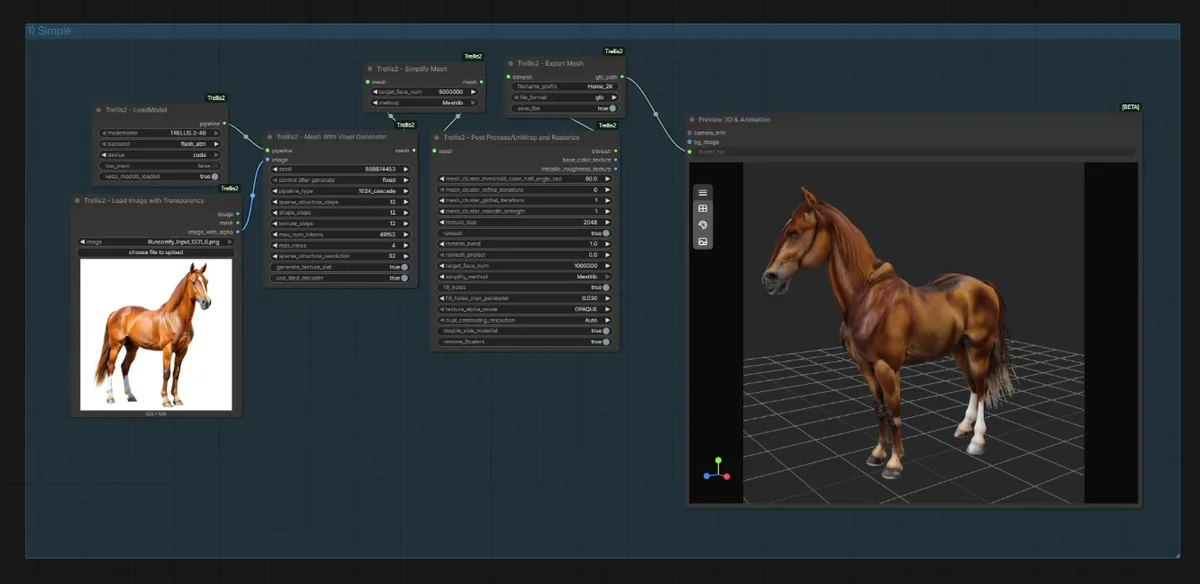
Feed all generated views into the reconstruction.
Nodes:
Trellis Multiview to 3D, consumes the view setMesh Refiner(optional, e.g. FaithC), clean up geometryApply PBR, texturesTrellis Export, GLB
Connection: View Generation outputs → Multiview to 3D inputs → Refiner → PBR → Export.
Loading a Ready Workflow
Do not wire this from scratch. Grab a multiview workflow from the visualbruno repo or a curated source. See Trellis 2 ComfyUI Workflow Download. Drag onto canvas, resolve red nodes via Manager, run.
Settings That Matter
| Setting | Effect |
|---|---|
| Number of views | More = better coverage, more compute. 4 is the sweet spot. |
| Resolution | 1024 for quality, 512 for speed/low VRAM |
| Mesh refiner | FaithC reduces holes, keep it on for complex subjects |
| Input background | Must be clean/removed, #1 cause of bad multiview output |
Common Multiview Problems
| Problem | Fix |
|---|---|
| Views look distorted/wrong | Input image has background, remove it first |
| Out of memory | Drop to 512, reduce views to 4, enable Low VRAM |
| Holes still present | Add/enable mesh refiner (FaithC) |
| Very slow | Expected, multiview is 2-3x single-view. Lower resolution. |
| Multiview node missing | Update your node package, multiview is a 2026 addition |
For errors beyond multiview specifics, see the troubleshooting master list.
Multiview vs Single-View: Quality Difference
On a character input:
- Single-view: clean front, guessed/smoothed back, holes under arms
- Multiview (4 views): consistent all sides, fewer holes, recognizable back geometry
- Multiview (6 views) + refiner: near-production topology
The jump from single-view to 4-view is large. The jump from 4 to 6 is smaller. Start at 4.
Input Image Requirements (Make or Break)
Multiview is more sensitive to input quality than single-view. The view generation stage amplifies problems in the source image, so a bad input produces six bad views instead of one bad reconstruction.
What works:
- Single subject, centered, filling most of the frame
- Clean, removed background (transparent or solid)
- Even lighting, no harsh shadows obscuring form
- Subject fully in frame, nothing cropped at edges
- Higher source resolution (1024+ on the long edge)
What fails:
- Busy backgrounds (the view generator hallucinates geometry from background clutter)
- Multiple subjects in one image
- Heavy occlusion (a hand gripping an object hides form the model needs)
- Low resolution or blurry input
- Extreme angles or foreshortening in the source
The single most common multiview failure is a non-removed background. If your multiview output looks distorted, fix the input before tuning any workflow parameter. Run the image through Remove.bg or a segmentation node first, every time.
Advanced Tuning
Once the basics work, these knobs improve multiview output further:
View consistency: Some multiview front-ends let you weight consistency between generated views. Higher consistency means views agree with each other (cleaner reconstruction) but can reduce detail. Lower consistency is more creative but can produce views that contradict each other, causing artifacts.
Refiner strength: The mesh refiner (FaithC) has a strength parameter. For multiview, a moderate setting cleans up the residual holes from occluded regions without over-smoothing the detail multiview recovered. Too high and you undo multiview's gains.
Number of views revisited: 4 views covers front, sides, and a back. 6 adds top/bottom or intermediate angles. For ground-level objects (furniture, props on a surface), top and bottom views add little. For flying or handheld objects, they help. Match view count to the subject, not to "more is better."
Paired with single-view: Some artists run single-view first for speed, then multiview only on the assets that need it. This keeps iteration fast on simple props while reserving multiview compute for complex subjects.
Frequently Asked Questions
What is Trellis 2 multiview?
A workflow mode (added February 2026) that synthesizes multiple camera angles from a single input image, then reconstructs the 3D mesh from all of them, producing cleaner topology and fewer holes than single-view.
Does multiview need more VRAM?
Yes. It generates views and reconstructs from all of them, so it uses more compute and VRAM than single-view. 16GB recommended; 8GB possible with GGUF at 512.
Should I always use multiview?
No. For simple hard-surface props, single-view is fine and faster. Use multiview for characters, vehicles, and complex organic shapes where the back of the object matters.
How many views should I generate?
4 is the sweet spot, large quality jump over single-view without excessive compute. 6 gives marginal further improvement.
Next Steps
- Make sure Trellis 2 is installed and updated. See the complete guide.
- Download a multiview workflow.
- Start at 4 views, 1024 resolution, with a clean-background input.
Last reviewed: June 2026. Multiview is new and actively improving, update your node package for the latest fixes.
Run it yourself in Trify3D
Keep reading from this topic
How to Use Blender for 3D Modeling (Beginner's Guide 2026)
Learn how to use Blender for 3D modeling step by step: first model, essential hotkeys, export formats, and when the AI shortcut beats manual modeling.
TutorialsComfyUI 3D Models: Best AI Models & VRAM Guide
Generate 3D models in ComfyUI with Hunyuan3D 2.0 & TRELLIS.2. Compare workflows, VRAM needs, and export to Blender or STL. Try free online tool.
TutorialsHow to Make STL Files: 4 Ways, From Tinkercad to AI
Learn how to make an STL file four ways: free browser tools, parametric CAD, Blender sculpting, and AI image-to-3D. Includes export settings, print-readiness checks, and the exact tolerance values that matter.