3D AI Studio Review: Pricing, Credits & Verdict
3D AI Studio claims more than a million creators. Its Trustpilot score looks strong until you notice the same company shows up with three different ratings depending on where you look, and a Reddit thread titled "Is it a scam?" sits right there in the search results. We build browser-based 3D tools at Trify3d, so pricing pages like this one are required reading for us. This review is what we found by going through 3D AI Studio's public pricing page, its documentation, and what actual users report on Reddit and Trustpilot. No affiliate links. No sponsorship. If you're deciding whether to subscribe, this is the arithmetic the sales page leaves out.
What Is 3D AI Studio? (And What It Isn't)
3D AI Studio (3daistudio.com) is a browser-based platform that turns text prompts and images into 3D models. The company positions it as an all-in-one workspace: image generation, image-to-3D, text-to-3D, texture tools, a node-based editor called Flow, and a video studio, all behind one login. Version 6.7.35 was live when we checked in September 2026, which tells you the product ships updates fast.
Two clarifications worth making, because search data shows people confuse these constantly. It is not Google AI Studio, Google's Gemini playground. And it has nothing to do with Bambu Studio, the 3D printing slicer. Different products, different companies, similar words.
One more signal from its own channels: the official YouTube channel mentions a "Tencent x 3D AI Studio Collaboration." That's a single-source claim from the company's own description, so treat it as marketing context rather than verified fact.
Is 3D AI Studio Safe or a Scam?
The skepticism is understandable. Any credit-based tool that wants your card details will attract scam accusations, and the Reddit thread ranks on page one. So what does the evidence say?
The Reddit answer, from a user three months into a paid plan: "Is 3daistudio a scam? The answer is no... it does actually generate 3d models as advertised... all my payments have been the exact agreed amount." That user's follow-up comments describe using it for stylized game assets with no billing surprises.
Trustpilot tells a more layered story: its review page shows 187 reviews, and here's the odd part: the headline star rating reads 4.7, the TrustScore calculation shows 4.5, and the company's own pricing page cites 4.6. All three are plausibly correct snapshots of the same underlying data at different moments or by different calculation methods, but it's worth knowing before you quote any single number.
One structural caveat: Trustpilot flags that this company invites its customers to leave reviews. Invited-review programs tend to skew positive, which fits the pattern here. The critical reviews that do surface mention a real learning curve and missing export options like DAE (Trify3d's DAE to OBJ converter covers that case free). Read the 4-star reviews, not just the 5-star ones.
3D AI Studio Pricing: Credits, Plans, and One-Time Packs
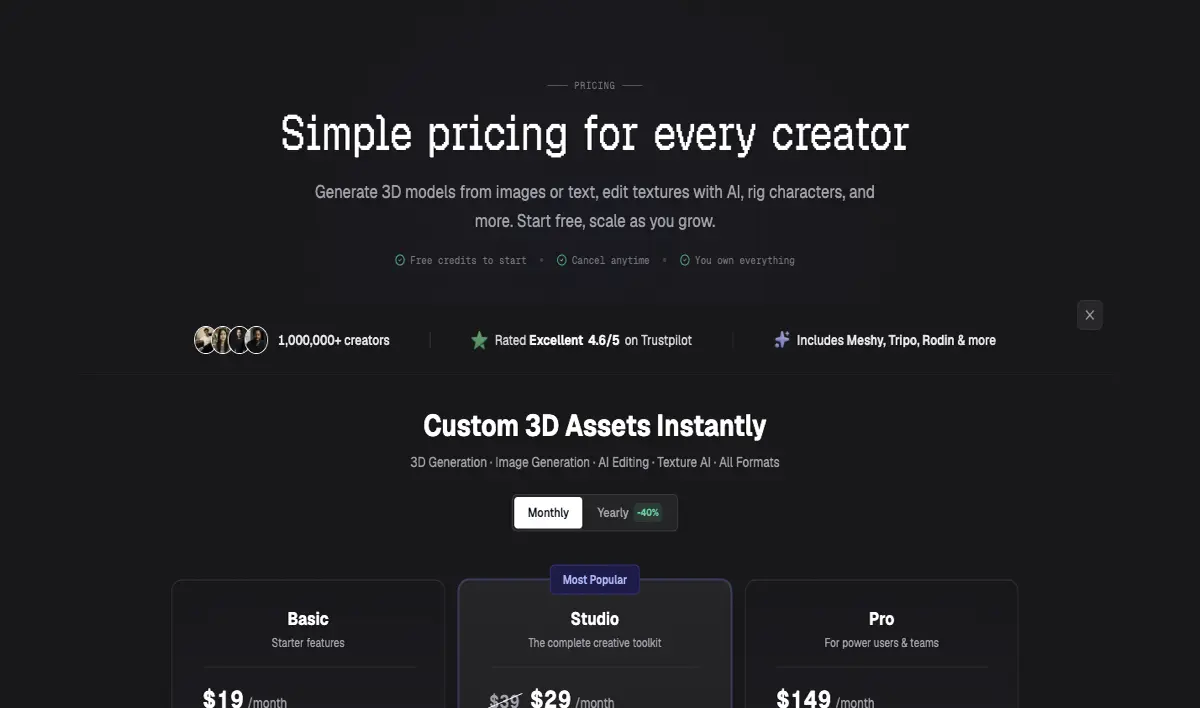
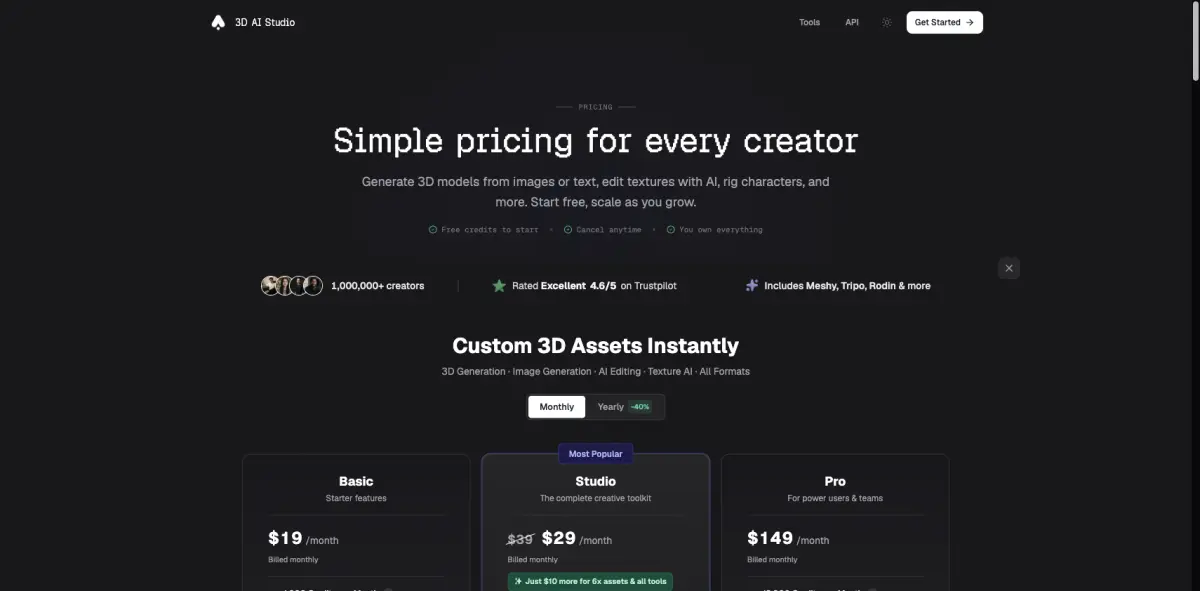
Here's where third-party reviews go vague, so let's be specific about what its pricing page actually promises.
| Plan | Monthly credits | What the page says | Notes |
|---|---|---|---|
| Basic | 1,000 | "ideal for beginners exploring AI 3D generation" | Studio costs "$10 more for 6x assets & all tools" |
| Studio | 3,500 | "most popular plan with all tools unlocked" | |
| Pro | 18,000 | "heavy users and teams with highest-priority generation" |
Monthly prices are displayed through an animated counter on the site rather than plain text, so treat exact dollar figures as something to confirm at checkout. The one-time credit packs are plainly listed: $34 for starter credits ($1.70 per 100 credits), $69 at $1.38 per 100, and $399 for 35,000 credits at $1.14 per 100. Credits in monthly plans reset each billing cycle; one-time pack credits never expire. Signing up gets you free credits with no card required.
How Far Do 1,000 Credits Actually Go?
This is the math nobody else publishes, so we ran it.
Generation costs vary by quality tier. The official FAQ says image-to-3D and text-to-3D cost 20 credits per generation. The documentation is more granular: the best-quality text-to-3D tier costs 35 credits and takes 3-5 minutes, the balanced tier is 25 credits in 50-90 seconds, and the fast tier is 20 credits in 20-40 seconds. Image Studio generations start at 3 credits.
Run the division on the Basic plan's 1,000 monthly credits:
- Best quality (35 credits): about 28 models
- Balanced (25 credits): about 40 models
- Fast (20 credits): about 50 models
Now the cross-check. A Reddit user on the cheapest plan reports "about 40 or so models per month." That matches our balanced-tier calculation almost exactly. A different user puts it more bluntly: "you run out of Credits pretty fast imo." Both can be true. 40 finished models a month is respectable output for a hobbyist, and it's still a metered experience where reruns eat the budget. Failed generations count too. They always do.
What's Actually in the Toolbox
The pitch is breadth: 35+ AI tools covering "Image to 3D, Text to 3D, Texture AI, rigging, remeshing, compression, animation, and more," per the pricing page. Free utilities bundled with every plan include PBR map generation, LOD generation, UV unwrapping, and remeshing. Everything runs in the cloud, no GPU or installation needed.
Three details stood out when we went through the documentation.
Export coverage is unusually complete. Seven formats: GLB for web and AR (the default), FBX for Unity and Unreal, OBJ for Blender and ZBrush, STL for printing, USDZ for Apple's AR ecosystem, plus 3MF for color printing and even native .blend files. That last one matters. Most competitors make you round-trip through OBJ and fix scaling in Blender afterward. Native .blend export removes a whole cleanup step from the workflow.
It's an aggregator, not a single model. The docs list Prism, Swift, Hunyuan, and Trellis as available generation engines. An older description of the platform (still visible in search results) named Meshy, Rodin, and Tripo instead. Either way, the pitch is the same: multiple engines behind one interface and one credit balance. The engine list changes as the market shifts, which is worth remembering when a review names specific models.
The learning resources are real. Beyond the official docs there's an active third-party tutorial ecosystem on YouTube, including a full beginner course series and workflow videos from established 3D creators. A tool with this many panels needs that layer, and it has one.
3D AI Studio vs Meshy vs Tripo vs Hunyuan3D
How does it stack against the names people actually compare it to? Different sites count differently (per-generation credits, monthly asset caps, official per-model estimates), All prices are as of September 2026, and the per-model figures below are directional, not a strict apples-to-apples comparison.
| Platform | Free tier | Entry paid tier | Rough cost per model | Standout trait |
|---|---|---|---|---|
| 3D AI Studio | Free signup credits | $34 one-time pack | ~$0.34 (calc from $1.70/100cr at 20cr/model) | Aggregates multiple engines, native .blend export |
| Meshy | 100 credits/mo, ~10 assets | $20/mo (1,000 credits) | ~$0.20 (100 assets/mo cap) | Biggest brand, 500+ animation library |
| Tripo | Free tier | $20/mo | $0.16 (official estimate) | Official per-model pricing, edit history |
| Hunyuan3D (Tencent) | Open source | Free (self-hosted) | $0 + GPU/electricity | 14.9k GitHub stars, no meter |
One honest note on our own position: Trify3d runs free browser-based tools in this space, so weigh that however you like. We kept Hunyuan3D first in the alternatives list anyway, because when someone's real question is "how do I spend nothing," open source beats everything else including us.
The short version: Meshy is the safe mainstream pick, Tripo publishes the clearest per-model pricing, Hunyuan3D is free if you have the hardware and patience, and 3D AI Studio's bet is aggregation plus convenience. Its per-credit price runs higher than Meshy or Tripo at entry level; what you're paying extra for is not juggling three subscriptions. For a broader lineup including Sloyd and Rodin, see our best AI 3D model generators roundup.
Who Should Use It (and Who Shouldn't)
A good fit if you're a game developer iterating on stylized assets. One Trustpilot reviewer describes planning, building, and cleaning up "100 usable game-ready models in 3 days," which is either an outlier or a glimpse of what the multi-engine pipeline does at speed. Also reasonable for hobbyist 3D printers: STL and 3MF export are covered (our how to make STL files guide covers the basics), and the balanced generation tier produces printable results in about a minute.
Think twice if you're a low-frequency experimenter. If you generate four models a month, a monthly credit meter is the wrong shape of purchase; the one-time pack or a free tool fits better. And if your pipeline depends on formats outside that seven-format export list (DAE, for instance, which a Trustpilot reviewer flags as missing), verify your format exists before subscribing.
Free and Cheaper Alternatives Worth Knowing
Hunyuan3D 2.0 is the headline option: Tencent's open-source image-to-3D model, 14.9k stars on GitHub, no credit meter if you self-host. The trade is setup friction and your own GPU. Check the license terms for commercial use, since community licenses sometimes carry regional or scale conditions.
Browser-based free tools cover narrower jobs without any account: our own 3D text generator turns type into printable GLB, STL, and OBJ meshes, and converters handle single-purpose jobs like SVG to 3D or mesh format conversion. If Hi3D's print-focused pipeline interests you, we reviewed it separately.
The realistic pattern: free tools for single-purpose jobs, open source for volume with technical patience, and metered platforms like 3D AI Studio when breadth and speed are worth real money to you.
Verdict: Is 3D AI Studio Worth It?
For game asset iteration at meaningful volume, yes, the evidence supports it: real user reports, clean billing record on Reddit, complete export coverage, and the balanced tier's 40-models-per-month math holds up. For printing hobbyists, it's competent but not special; Hi3D and free tools cover much of that ground. For anyone burning fewer than ~20 generations a month, no metered plan makes sense, buy a one-time pack or use free options.
The trust question that opens this review resolves to a qualified yes: the product is real, and the company's own review-invitation program explains some of the polish on its ratings.
If you'd rather test 3D generation without a credit meter running, Trify3d's browser tools generate and export free, no account needed.
FAQ
Is 3D AI Studio free to use? Partially. New accounts get free credits with no card required, and some tools (texture generation, remeshing, LOD) are free on every plan. Sustained generation requires credits from a monthly plan or a one-time pack.
Is 3D AI Studio safe and legit? The evidence says the product is real and billing behaves as advertised, per long-term users on Reddit and 187 Trustpilot reviews. It's not a scam; it is a metered platform, so read the credit math above before subscribing.
Does 3D AI Studio work with Blender? Yes, more directly than most. It exports native .blend files alongside GLB, FBX, OBJ, STL, USDZ, and 3MF, and the documentation lists direct Blender integration.
How do I cancel my 3D AI Studio subscription? The pricing page states you can "upgrade, downgrade, or cancel anytime" from account settings. Unused monthly credits reset at the billing cycle; one-time pack credits stay until used.
What's the promo code for 3D AI Studio? The company's own search ads have run "MAGIC" for 20% off (as of September 2026). Worth checking current ads or their Discord since codes rotate.
Why do 3D AI Studio's Trustpilot ratings differ across the web? Because three numbers coexist: a 4.7 headline star rating, a 4.5 TrustScore calculation on the same page, and the company citing 4.6 in its own marketing. Different calculation methods and snapshot dates. When we cite a rating, we say which one and when we captured it.
Last updated: September 17, 2026. Pricing and credit values are from 3D AI Studio's public pricing page and documentation as captured on that date; monthly prices are displayed through an animated component on the site, so confirm exact figures at checkout.
Run it yourself in Trify3D
Keep reading from this topic
What Is MiniMax H3 Max? Fal's Faster H3 Explained
MiniMax H3 Max is fal's post-trained, speed-optimized version of MiniMax H3. Here is how it hits 35x throughput, what it costs, and when to use it over stock H3.
ReviewsHi3D Review 2026: Pricing, Specs, and Comparisons
Hi3D (Hitem3D) reviewed: 1536³ print-first generation, $19.90/mo list pricing, and a 31-review Trustpilot base. See where it beats Meshy and Tripo, and where it doesn't.
ReviewsBambu Studio vs OrcaSlicer vs Cura vs PrusaSlicer
Bambu Studio vs OrcaSlicer vs Cura vs PrusaSlicer (2026): slicing quality, printer support, multi-material, and calibration compared, plus a decision tree.