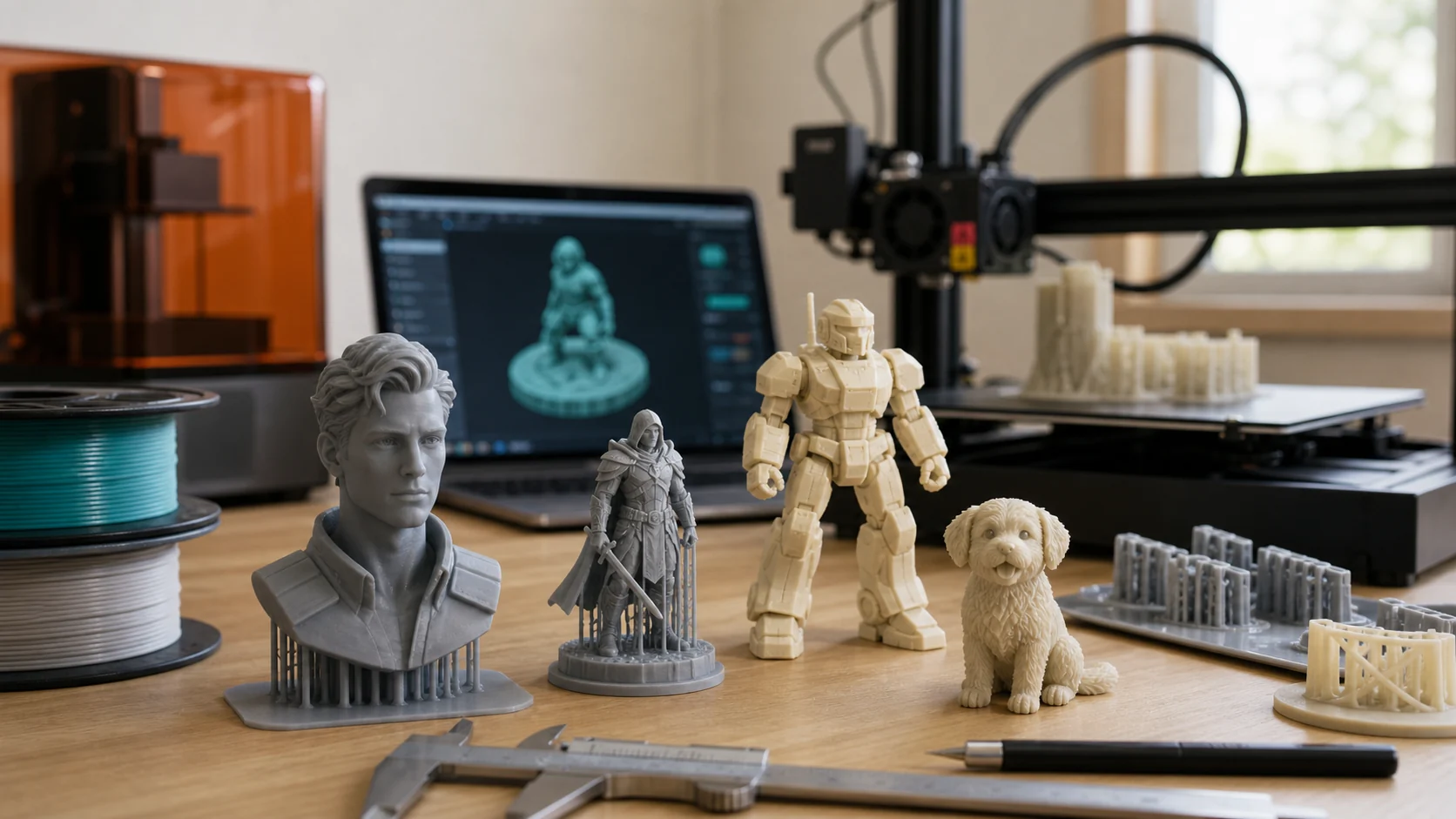
3D Printed Figures: Make Your Own with AI Guide
3D printed figures used to mean one of two things: buying a $40 resin statue from a shop, or spending weeks sculpting in ZBrush. In 2026 neither is necessary. You can generate a printable figure from a photo or a text prompt in minutes, export it straight to STL, and print it the same afternoon.
Search "3d printed figures" and the results split into three camps. Some are shop pages selling finished figures. Some are STL download platforms (MakerWorld, Gambody) for off-the-shelf designs. A growing third group, the one this guide is for, uses AI to generate original figures and prints them at home.
This guide covers the whole path: how 3D printed figures are actually made, which method to pick, the step-by-step pipeline from idea to printed figure, the cost, and the legal line on selling them.
What Counts as a 3D Printed Figure?
A 3D printed figure is any small, character-shaped object produced on a 3D printer: a statue, a bust, an action figure, a tabletop miniature, or a custom figurine of a person. The unifying trait is that it starts as a digital 3D mesh and ends as a physical object built up layer by layer.
Three things define the workflow:
- The mesh source. Where the 3D model comes from: a downloaded STL, an AI generator, a 3D scan, or manual sculpting.
- The print technology. FDM (filament) or resin (SLA). This sets the detail level, strength, and cost.
- The finish. Bare print, primed and painted, or full-color. Most single-extruder prints are single-color and get hand-painted.
The biggest change in 2026 is the first item. Five years ago the mesh source was the bottleneck; you either sculpted it, scanned it, or bought it. Now an AI image-to-3D or text-to-3D tool produces a clean, textured, printable mesh in about a minute. That is the difference between "3D printed figures are for experts" and "anyone can make one."
Four Ways to Get a Figure Mesh
Your choice of mesh source sets everything downstream: cost, detail, and how original the figure is.
1. AI Image-to-3D (Photo → Figure)
Upload a photo (a portrait, a character drawing, a toy photo) and the AI builds a textured 3D mesh. The fastest path to a custom figure, and the one that needs zero modeling skill.
- Best for: custom figures of people, pets, or your own character art.
- Tools: Trify3D, Meshy AI, Bambu MakerWorld "Make My Statue."
- Tradeoff: the front is accurate; the back and sides are AI-inferred.
2. AI Text-to-3D (Prompt → Figure)
Describe a figure in words ("a cyberpunk robot samurai, full body, standing pose"), and the generator produces a mesh. Best when you have no source image and want an original design.
- Best for: original characters, concept figures, gifts.
- Tools: Trify3D text-to-3D, Meshy AI, Tripo3D.
- Tradeoff: you iterate on prompts until the silhouette and pose read well.
3. Downloaded STL Files
Pull a ready-made figure from a model platform. The fastest path to a known character (anime, game, movie figures) and the only path to pre-engineered articulated action figures.
- Best for: posable action figures, recognizable characters, tabletop miniatures.
- Platforms: MakerWorld, Thingiverse, Cults3D, Printables (free + paid), Gambody (paid premium).
- Tradeoff: not original, and selling prints of these is usually not legal without a license.
4. Manual Sculpting / 3D Scanning
Sculpt in ZBrush, Blender, or Nomad Sculpt; the professional route. 3D scanning (phone LiDAR or a dedicated scanner) captures a real object or person.
- Best for: production-quality work, commissioned pieces, full 360° accuracy.
- Tools: ZBrush, Blender, Nomad Sculpt; phone scanning apps, Revopoint scanners.
- Tradeoff: weeks of skill or a scanning rig. Overkill for most hobby figures.
Practical pick: For a custom figure you want this week, AI image-to-3D or text-to-3D is the sweet spot. Trify3D does both and exports print-ready STL/OBJ straight from the browser.
The Step-by-Step Pipeline
No matter which mesh source you pick, the print pipeline is the same four steps.
Step 1: Create or Get the Mesh
- From a photo: isolate the subject on a plain background, upload to an image-to-3D tool, generate the mesh, preview and rotate it.
- From a prompt: describe the figure, generate, iterate on the prompt until the pose and silhouette look right.
- From STL: download the file from a model platform.
Step 2: Export as STL or OBJ
- STL: geometry only, universal, works in every slicer. Choose this for single-color FDM prints.
- OBJ: carries color and texture. Choose this for color-capable resin or multi-color setups.
Most AI tools (including Trify3D) export both. Download the file and you are ready to print.
Step 3: Slice in Your Slicer
Open the STL or OBJ in Bambu Studio, PrusaSlicer, Cura, or OrcaSlicer.
- Orient the model. Stand a bust upright; lay a full-body figure on its back to keep supports off the face.
- Scale to real size. AI meshes arrive in arbitrary units. Set the figure to your target height (6-16 cm for desk figures, 28-32 mm for tabletop) before adding supports.
- Add supports. Faces, chins, and outstretched arms almost always need them. Use tree supports in PrusaSlicer or OrcaSlicer; they touch the model less and leave cleaner surfaces.
- Set layer height. 0.08-0.12 mm for faces and fine detail; 0.16-0.20 mm for larger or stronger figures.
- Slice to G-code and send to the printer.
Step 4: Print and Finish
- FDM: pop the print off, remove supports, optional light sanding. Prime and paint with acrylics for a finished look.
- Resin: wash in IPA, post-cure under UV, remove supports, sand nubs. Resin prints take paint far better than FDM.
Resin for faces, FDM for bodies. If the figure's face has to be recognizable, resin is in a different league. If it is a chunky robot or a large statue where strength beats detail, FDM is cheaper and more forgiving.
FDM vs Resin for Figures
This is the single biggest quality decision for a 3D printed figure.
| FDM (filament) | Resin (SLA / MSLA) | |
|---|---|---|
| Detail | Visible layer lines, softer features | Near-invisible layers, sharp detail |
| Best for | Large figures, robots, articulated toys | Faces, miniatures, display busts |
| Material | PLA, PETG, ABS | Photopolymer resin |
| Cost to run | Low (filament is cheap) | Higher (resin + IPA + PPE) |
| Cleanup | Pull off bed, remove supports | Wash, post-cure, handle liquid resin |
| Entry price | From ~$200 | From ~$200 (MSLA) |
Most figure makers end up with both: FDM for big or structural prints, resin for anything with a face. If you can only buy one and your goal is a recognizable figurine, get a resin (MSLA) printer.
Cost: How Much Does a 3D Printed Figure Cost?
The honest answer depends entirely on who prints it.
DIY at home:
- Material: a 10 cm figure uses roughly $0.50-$3 of filament (FDM) or $1-$5 of resin.
- AI generation: a few cents to a couple of dollars per mesh, depending on the tool.
- Total: often under $5 per figure once you own the printer.
Paid printing service (Shapeways, JLC3DP, My3DSelfie, local shops):
- Custom figurine from a photo: roughly $30-$100+ depending on size, color, and finish.
- You pay for the printer time, labor, post-processing, and shipping.
The gap is the entire reason to print at home. One custom figure from a service can cost more than a spool of filament that prints fifty.
Popular Types of 3D Printed Figures
Action Figures (Articulated)
Poseable figures with ball joints or print-in-place hinges. These are pre-designed STL kits, not AI-generated; an AI mesh is a fixed-pose statue, not a jointed toy. Find them on MakerWorld and Cults3D. Popular prints include articulated dragons, mechs, and robot figures.
Custom Figurines from Photos
A 3D printed figure of a real person: yourself, a friend, a pet. This is the AI image-to-3D use case. Upload a front-facing photo, generate, export STL, print. The result is a fixed-pose statue or bust, usually 6-16 cm tall.
Tabletop Miniatures
D&D and wargaming figures at 28-32 mm scale. Resin is the standard here; the detail on weapons, faces, and armor at that size is beyond FDM. STLs come from platforms like MyMiniFactory, Cults3D, and Patreon sculptors.
Anime and Character Figures
Pre-sculpted STLs of anime and game characters, printed in resin and hand-painted. Gambody and Cults3D dominate this category. Print time is long (often 10+ hours) and assembly is multi-part with glue.
Collectible Busts
Head-and-shoulders display pieces. The most forgiving project for a beginner: small, fast to print, and only the front needs to look good. A single front-facing photo and an AI tool produce a printable bust in minutes.
Tips for Better 3D Printed Figures
These separate a clean figure from a melted blob.
- Prioritize the face. Crop tight, light soft, print the face at the finest layer height your printer supports. The face is what makes a figure recognizable.
- Use tree supports. For organic shapes (faces, hair, hands), tree supports leave far less scarring than standard supports.
- Scale before supports. Set the real target size in the slicer first, then add supports. Scaling after supports warps them.
- Print small tests first. Before a 10-hour print, scale to 3 cm and print a draft. It catches orientation and support problems early for a few cents.
- Orient so the back faces away. For AI-generated figures, the back is inferred and less accurate. A figure on a shelf only needs to look right from the front three-quarters.
- Prime before painting. A primer coat (gray or white spray primer) fills layer lines and gives acrylic paint something to grip. FDM prints especially need this.
- Resin for detail, FDM for size. Match the technology to the figure, not the other way around.
Selling 3D Printed Figures: The Legal Line
The most-asked question in every figure community: can I sell what I print? The answer is yes, with one big condition.
You can sell figures when:
- The design is your original work (including AI-generated meshes you created, with the tool's commercial terms allowing resale).
- You hold a commercial license for the STL; many Cults3D and Patreon creators sell commercial tiers.
- The figure is generic enough to not depict a protected character.
You cannot sell figures when:
- The STL is marked "personal use only" or non-commercial (common on free downloads).
- The figure depicts a copyrighted character (Marvel, Star Wars, Pokémon, anime, movie characters) without a license. Printing these for sale is infringement, even if you modify them.
The safe path: generate your own original figures with AI, confirm the tool's commercial terms allow resale, and sell those. Selling prints of Iron Man or Pikachu downloaded from a free STL site is the fast way to get a takedown.
Frequently Asked Questions
How much do 3D printed figurines cost?
Making one yourself is almost free beyond filament or resin and the AI generation cost; a small figure uses a few cents to a couple of dollars of material. Paid printing services charge roughly $30-$100+ depending on size and color. The cost gap is why most hobbyists print at home.
Can I 3D print my own figures?
Yes. Use an AI image-to-3D or text-to-3D tool to create a printable mesh, export it as STL or OBJ, and print on any FDM or resin printer. No manual modeling or scanning rig required. Trify3D generates figures from a photo or prompt and exports print-ready files.
Is it legal to sell 3D printed models?
Selling 3D printed models is legal when you own the design or hold a commercial license. Printing and selling copyrighted characters (Marvel, Star Wars, Pokémon, anime) without permission is infringement, even modified. Sell your own original figures or commercially-licensed STL files.
What is the best material for printing 3D figures?
PLA is the easiest and cheapest FDM filament and works for most figures. Resin (SLA) is the best choice when fine detail matters: faces, hair, and small features print far sharper than FDM. PETG adds strength for articulated or handled parts.
How do I make a 3D printed figure of myself?
Take a front-facing photo with good lighting and a plain background, run it through an AI image-to-3D tool like Trify3D, export the mesh as STL or OBJ, and print. The front of the figure is accurate; the sides and back are AI-inferred, so orient the print so the back faces away from view.
FDM or resin for 3D printed figures?
Resin (SLA) is dramatically better for detailed figures: faces, hair, and small features. FDM is cheaper, easier, and fine for larger or less detailed figures. If a recognizable face matters, use resin; if size or strength matters, use FDM.
Where can I find free 3D printed figure STL files?
MakerWorld, Thingiverse, Cults3D, Printables, and Gambody host thousands of figure STL files. MakerWorld, Thingiverse, and Printables have large free sections; Cults3D and Gambody lean toward paid premium files. For your own original custom figure, use an AI 3D generator instead of a download.
Can I 3D print posable action figures?
Yes. Posable figures use pre-designed STL kits with ball joints or print-in-place hinges; sites like Cults3D and MakerWorld host many. AI image-to-3D produces a fixed-pose figure, not an articulated one; combine an AI mesh with a jointed base in Blender for a hybrid approach.
Make Your First 3D Printed Figure
The whole pipeline comes down to: a mesh source (AI generator or STL), an STL or OBJ export, a slicer, and a printer.
The fastest way to start is Trify3D's image-to-3D tool: upload a photo or write a prompt, preview the generated mesh, and export straight to STL or OBJ for printing. No sculpting, no scan rig, no design skills required.
For the photo-specific walkthrough (turning a single photo into a printed figurine), see our 3D print a person from a photo guide.
Generate a figure and print your first one today.
Run it yourself in Trify3D
Keep reading from this topic
Albedo vs Normal Map: What Each Stores, When You Need Which
Albedo vs normal map explained: what each map stores, why normal maps look purple, how they work together, and three checks to tell them apart.
TutorialsTrellis 2 Complete Guide: From Install to Production Workflow
The complete Trellis 2 guide for 2026: pick an install path (ComfyUI or no local GPU), run image-to-3D, text-to-3D, and multiview workflows, fix common errors, and compare Trellis 2 vs Hunyuan 3D.
TutorialsWhat Is PBR Texturing? The 2026 Plain-English Guide
PBR texturing explained: what PBR stands for, the six core maps, the two workflows, and the mistakes that break PBR materials in Unity and Unreal.